How to use pdf24 GIF to PDF in 4 steps
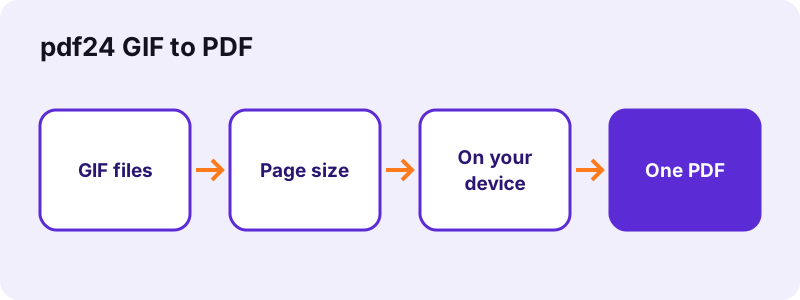
- Choose the GIF files. Tap Choose images and select the files; the arrows set the page order.
- Pick a layout. Choose A4, US Letter or Same as image, the orientation and the margin.
- Press Convert to PDF. The PDF is assembled in your browser in a few seconds.
- Download the PDF. One picture becomes one page; open the file to check the order.
Why use pdf24 GIF to PDF instead of sending pictures?
A PDF made from GIF files keeps several pictures together in a fixed order and looks the same on every device, which is what forms, landlords and offices expect. It also prints at a predictable paper size, A4 or US Letter, instead of whatever size the pictures happen to have.
- An animated GIF adds its first frame as one page.
- See also images to PDF for mixed formats.
pdf24 GIF to PDF on a phone
Android and iPhone browsers run the same code; large files simply take a little longer on a phone.
pdf24 GIF to PDF on a computer
Windows, macOS and Linux all work in Chrome, Edge, Firefox or Safari, with nothing to install.
pdf24 GIF to PDF with many files
There is no file-count limit; the memory of your device is the only ceiling.
pdf24 GIF to PDF: privacy in one line
Files are read by the browser and never uploaded, so nothing needs deleting afterwards.
Which page sizes does pdf24 GIF to PDF offer?
Conversion of GIF files offers A4 (210 × 297 mm), US Letter (8.5 × 11 in) and Same as image, which makes each page exactly as large as its picture. Wide pictures turn the page to landscape automatically, and the margin can be 0, 20 or 40 points.
| Option | Size |
|---|---|
| A4 | 210 × 297 mm |
| US Letter | 8.5 × 11 in |
| Same as image | the picture's own size |
“Portable Document Format (PDF), standardized as ISO 32000, is a file format developed by Adobe in 1992 to present documents, including text formatting and images, in a manner independent of application software, hardware, and operating systems.”
pdf24 GIF to PDF works in Chrome, Edge, Firefox and Safari on Windows, macOS, Linux, Android and iOS.
pdf24 GIF to PDF: frequently asked questions
Is pdf24 GIF to PDF free?
Yes. This converter costs nothing, needs no account and adds no watermark. It runs on your own device, so there is no upload queue, no file-count limit and no daily cap, and you can use it as often as you like, on any device with a current browser.
Does pdf24 GIF to PDF upload my files?
No. The browser reads the files with the File API and converts them in JavaScript on your device. The result line confirms 0 bytes uploaded, and nothing is kept anywhere once you close the tab. That makes it safe for contracts, IDs and medical papers.
Does pdf24 GIF to PDF work on a phone?
Yes. It works in current Chrome, Safari, Edge and Firefox on Android and iPhone. Large files take a little longer on a phone because all the work happens on the device itself rather than on a server. A file of a few megabytes usually converts in under ten seconds.
More pdf24 GIF to PDF tools and guides
pdf24 GIF to PDF: sources
- File API (MDN Web Docs) — MDN
- PDF format family (Library of Congress) — Library of Congress
- JPEG (Wikipedia) — Wikipedia